Languages
How course translations work in Coassemble: creating them, narrating them, and how learners get the right language.
Translate a course into other languages, and optionally generate narration so learners read and hear it in their language. Translations load automatically based on the learner's browser language.
You can translate a course into other languages so learners get a fully localised experience. A translation is a "child" of your original (default) course: it shares the course's structure, but you can localise the text and images for each language. You can also generate AI narration for a translation so learners hear it in their language as well as read it.
What you can localise
- Text: all text, including titles, descriptions, lesson content, quiz questions, and feedback.
- Images: swap or edit images to suit the language's region or context.
The course structure is inherited from the default course and can't be changed within a translation.
Create a translation
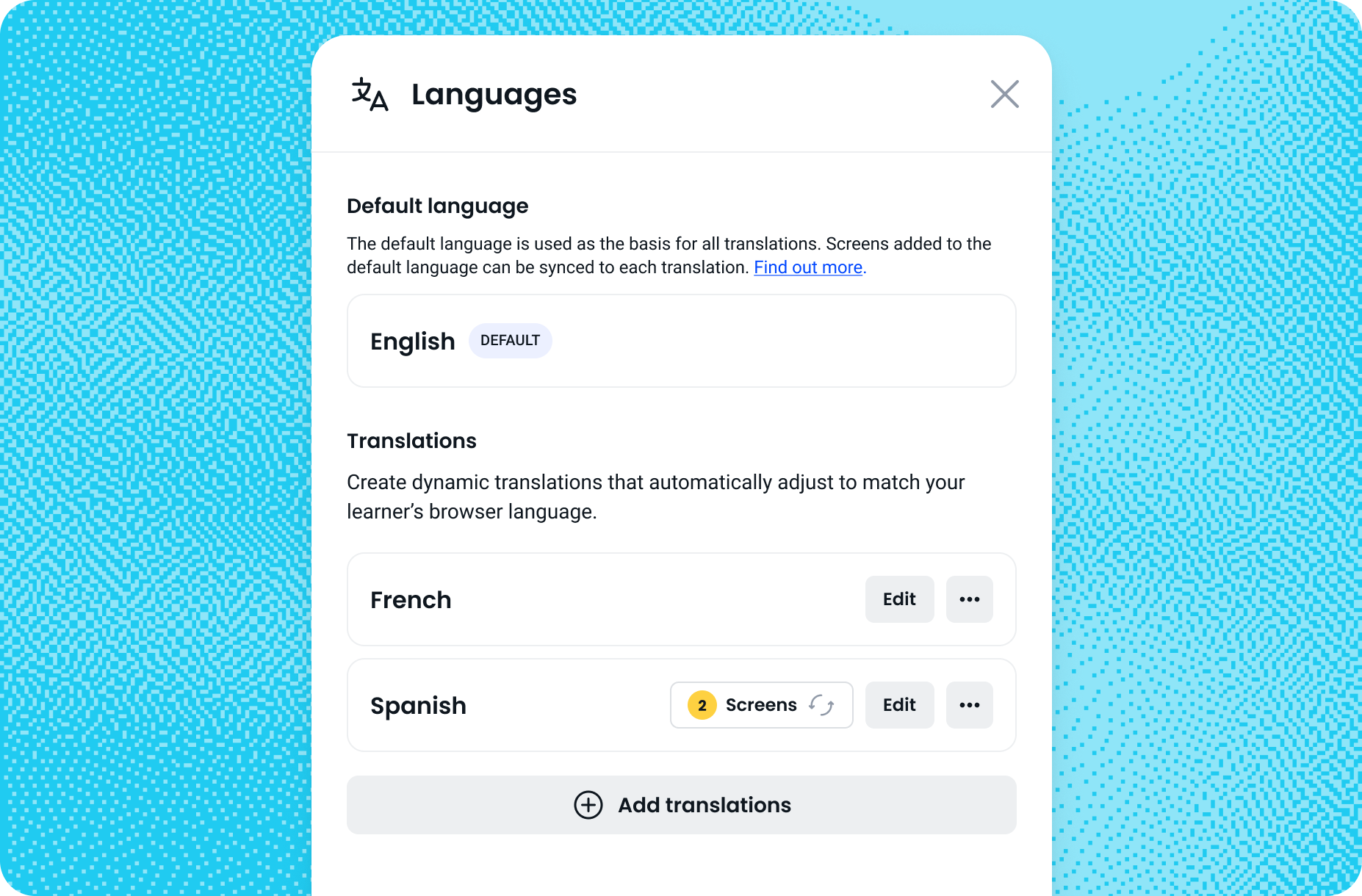
- In a course, click Languages (the 文A icon) in the top-right header menu, next to the preview and sharing options.
- Click Add translations.
- Choose a language from the dropdown (type to search).
- Click Translate language in the bottom-right corner. The system generates the translation. Once complete, you will be returned to the course dashboard, and the new language will appear under Translations, ready to edit.
Repeat for as many languages as you need.
Add narration to a translation
- Finish editing the translated text, then click Done.
- Click Publish.
- In the publish panel, make sure Generate narrations is on, then tick Include translations.
- Click Generate narrations and publish, and wait for it to work through each language.
Narration uses tokens from your monthly narration allowance, and the publish panel shows your usage and an estimate before you generate. Each language is narrated separately, so a course with one translation uses roughly twice the tokens of the same course in one language. The narration voice is chosen automatically for translations; you can only pick a voice for the default course.
How learners experience translations
Translations are dynamic. Learners don't pick a language: the course automatically matches their browser's language setting. If their browser language isn't available, the course falls back to your default language. Note that the email capture page and verification emails are platform-managed and stay in English even when the course loads in another language.
Change the default language
- On the Languages modal, find the translation you want to make the default.
- Click its three-dot menu and select Set as default language.
- Confirm with Change default.
The chosen translation becomes the primary version, and the previous default becomes a regular translation.
Keep translations in sync
If you add a screen to the default course, you can manually sync it into each translation. If you delete a screen from the default course, it's automatically removed from all translations, keeping the structure consistent.
Supported languages
Coassemble supports course translations in: Arabic, Bengali, Bulgarian, Chinese, Croatian, Czech, Danish, Dutch, English, English (US), English (UK), Estonian, Finnish, French, French (Canada), German, Greek, Hebrew, Hindi, Hungarian, Indonesian, Italian, Japanese, Korean, Latvian, Lithuanian, Norwegian, Polish, Portuguese, Romanian, Russian, Serbian, Slovak, Slovenian, Spanish, Spanish (Spain), Spanish (Mexico), Spanish (Latin America), Swahili, Swedish, Thai, Turkish, Ukrainian, and Vietnamese.
Building in your own language
The language your learners get and the language you build in are separate settings. The course builder is localised in eleven languages: English, French, German, Spanish, Italian, Portuguese, Dutch, Danish, Swedish, Norwegian and Finnish. The AI agent follows the builder's language, so if you write to it in French the whole conversation happens in French, including its questions, its options and the final summary. You can plan a Spanish course in English, or an English course in Finnish, whichever is easier for you.
Frequently asked questions
Do learners choose their language?
No. The course automatically matches the learner's browser language, and falls back to your default language if theirs isn't available.
Can I narrate a translation in a chosen voice?
The narration voice is selected automatically for translations. You can only choose a voice for the default course.
Will the email capture and verification emails be translated?
No. Those are platform-managed screens and stay in English, even when the course itself loads in another language.
Can I work in the builder in a language other than English?
Yes. The builder is localised in eleven languages, and the AI agent talks to you in whichever one you're using. It's independent of the language your course is written in.