How to create an online course for free
Learn how to create an online course for free — pick a topic, turn what you already know into interactive training with AI, and share it anywhere. Plus what 'free' really gets you across tools, and how to try a real platform free before you pay.
Search “how to create online courses for free” and you’ll hit two walls: endless lists of platforms or tutorials packed with jargon. Both leave you where you started: still not creating.
You don’t need an engineering team or a design degree to build great online courses. You just need to turn what you already know into interactive training your team can actually use — and to understand what “free” really buys you before you pick a tool.
This guide walks through both: how to build the course itself, and how the free options actually work.
What does “free” really mean when creating an online course?

“Free” means different things across course tools, and the differences matter:
- Free tiers — genuinely free to keep, but usually capped: a handful of learners, no custom branding, limited export.
- Free trials — the full product for a set time, then it stops. You build half a course and hit a paywall right when you’re ready to share.
- Free evaluation sandboxes — the full platform at no cost so you can build and test a real course before paying, with someone helping you scope it. Not a forever-free plan, but the most honest way to see if a serious tool fits.
The trap is assuming “free” means “free forever with no limits.” It rarely does. Knowing which kind of free you’re dealing with saves you from rebuilding your course somewhere else later.
Decide what course to create
Most people stall here. You know your team needs training content, but choosing where to start can feel impossible.
The trick? Don’t start from scratch. Start with what already exists.
1. Start with knowledge that already exists. Your best course ideas are already written down somewhere — existing docs, internal wikis, shared folders, recorded meetings. Look for the questions people ask repeatedly. Those are your course topics waiting to happen. If someone had to explain it twice this week, it’s a lesson worth building.
2. Match your course to your team’s pain point. Focus on a real problem. For a support team, it might be handling refund requests. For HR, a faster onboarding flow. For sales, updating pitch decks after a launch. Training that solves a pain point saves time immediately, and that’s the best measure of impact.
3. Keep it focused and specific. Avoid sprawling topics. Instead of “Everything about customer service,” build one interactive course like “How to respond to refund requests.” Short, clear, and actionable — and it lets you refine your process before tackling bigger topics.
When your first course lands, you’ll see momentum build. And that’s when knowledge starts to move.
How course creation works with AI
You’ve decided on your topic. Now it’s time to turn it into a real online course without design skills, coding, or complex setup. Here’s how the process works in a tool like Coassemble.
Step 1: Choose how to create your course
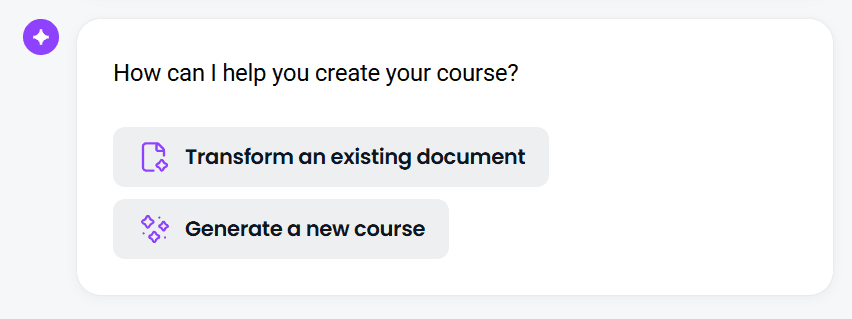
You have two starting points:
- Transform an existing document — Upload a PDF, PowerPoint, or Word doc. The AI scans your content, identifies the key points, and turns it into a structured course with lessons, quizzes, and interactive elements.
- Generate a new course — No document? Start from a short prompt describing what you want to teach (for example, “Customer onboarding for new hires”). The AI creates an outline and content for you.
Step 2: Answer a few quick questions
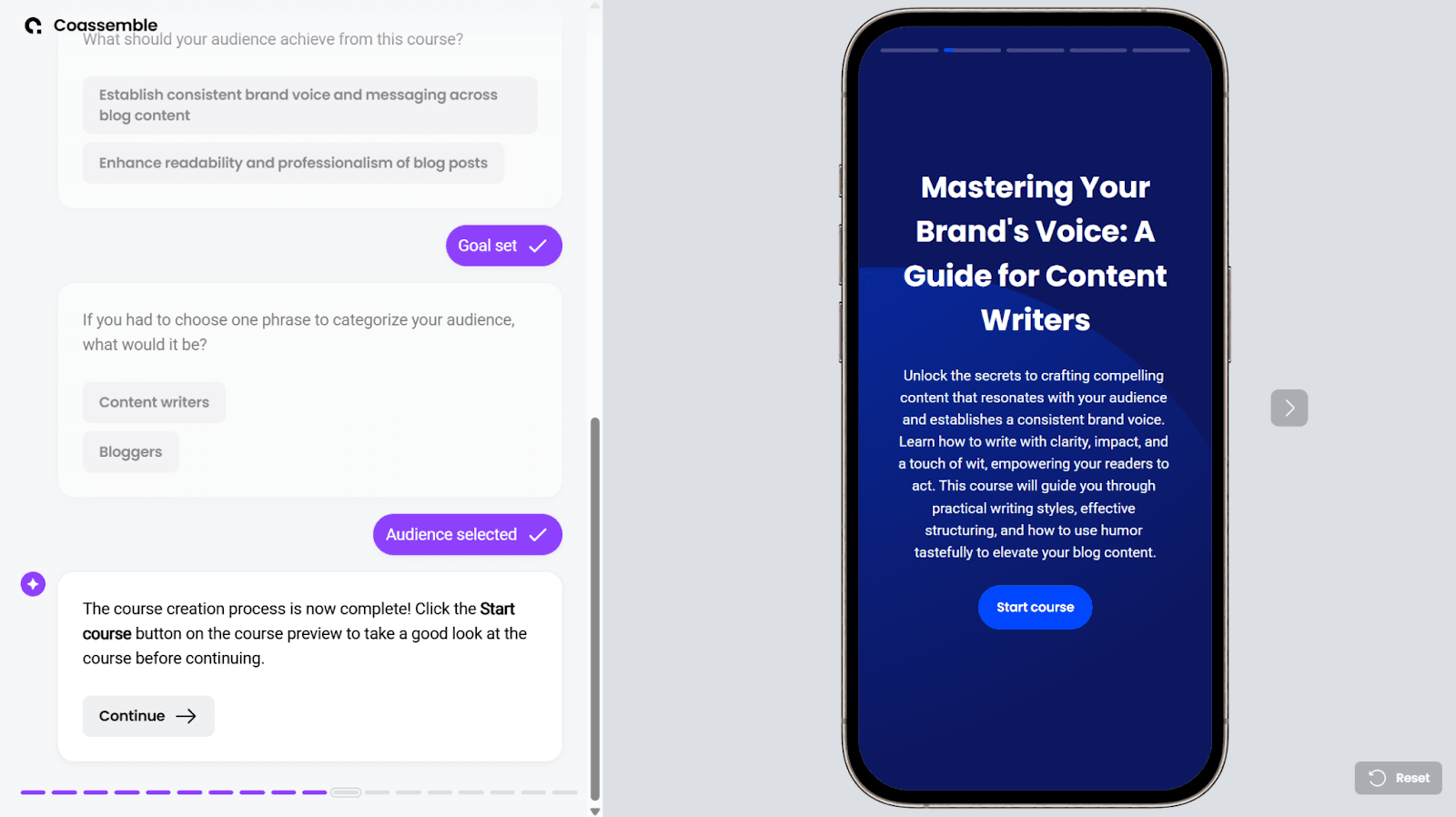
Before building, you’ll answer a couple of short prompts — what your audience should achieve, and how you’d categorize them. Pick the options that fit your topic and learners best, and the AI builds your course in seconds.
Step 3: Review and refine
Your full course appears on the right side of the screen. Click through the lessons and check the flow:
- Are instructions clear?
- Is the flow logical, or do sections feel disjointed?
- Are there gaps where learners might get confused?
The preview updates in real time, so you can adjust as you go.
Step 4: Share your course
There are three ways to publish:
- Send an email invitation
- Generate a share link for Slack, Teams, or your intranet
- Export a SCORM file for your HRIS or Learning Management System (LMS)
Drop a link in Slack or your team tools and deliver learning where people already work — no separate logins or LMS required, though your course exports cleanly to one if you have it. You can then track completions, quiz scores, and learner progress from a clean dashboard.
Try it free, then scale when you’re ready
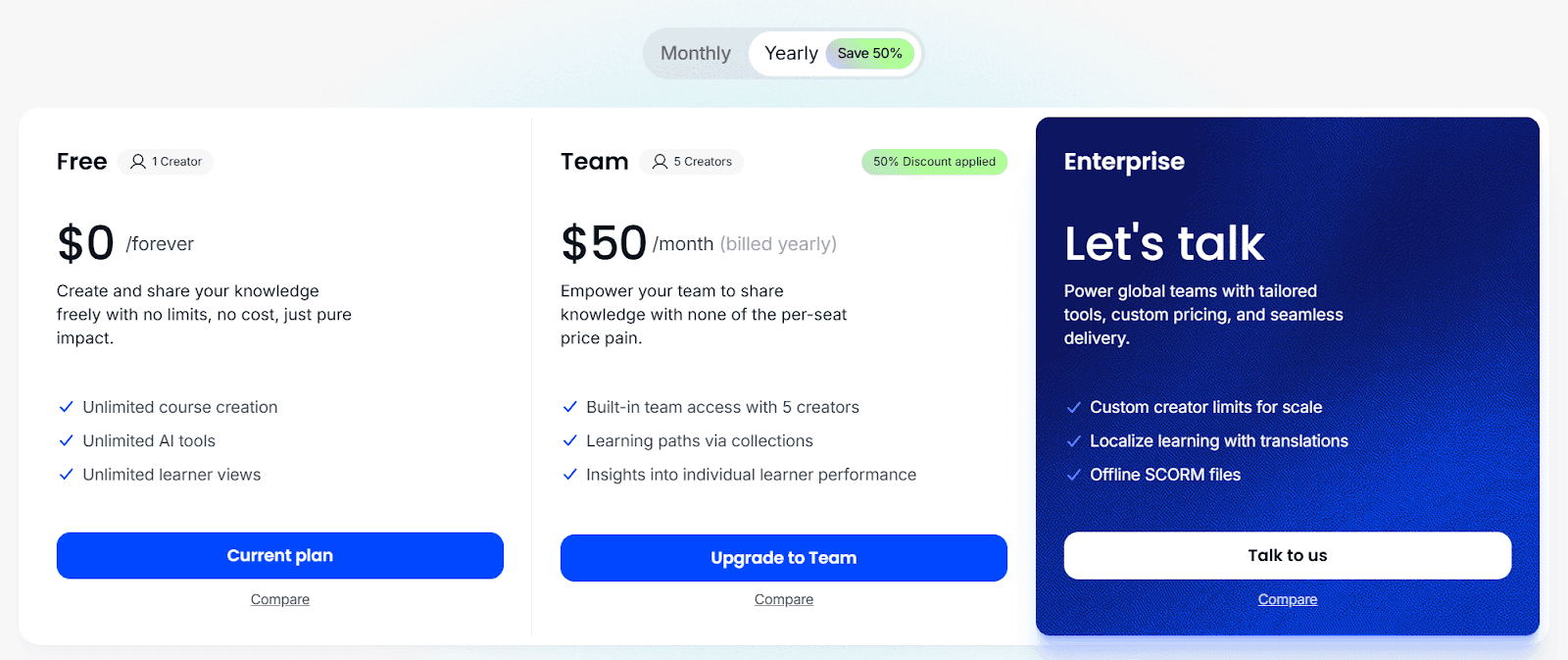
Here’s the honest part. Coassemble doesn’t have a free-forever plan or an online signup — every account starts with a quick fit check so the team can point you at the right setup.
The free way in is a Sandbox: request one and you get the full platform at no cost to build and test a real course, with someone on hand to help you set it up. It’s the “free evaluation” path from earlier — you prove the fit before spending anything.
When you’re ready to run training for real, paid plans start at $2,500/year (Build), with Scale from $5,000 and Partner from $20,000 as your usage grows. Higher tiers add things like more course creators, custom branding, SCORM and tracking via API, and white-label course creation through Coassemble’s headless approach.
Request a free sandbox · See pricing
Wrapping up
Creating an online course no longer needs to feel out of reach. You already have the knowledge — AI does the heavy lifting, turning existing docs, guides, or ideas into interactive training that people actually finish.
Start small, share your first course, and watch knowledge move across your organization. Your ideas deserve more than a folder. They deserve to be learned.
FAQs: creating an online course for free
Can I create an online course for free?
Yes — you can build and try a course for free. Genuinely free tools exist (usually with limits on learners, branding, or export), and platforms like Coassemble offer a free Sandbox to build and test a real course before paying. There’s no free-forever Coassemble plan; paid plans start at $2,500/year.
What’s the difference between a free trial and an actually free tool?
A free trial gives you the full product for a set time, then expires or restricts key features. A free tier stays free but is usually capped. A free evaluation sandbox lets you build a real course at no cost so you can judge the fit before committing.
Which platforms can I use to create free courses?
Several tools offer free tiers or trials — the right one depends on how many learners you have and whether you need export, branding, or tracking. Coassemble isn’t free-forever, but you can request a free Sandbox to evaluate the full platform first.
Can I create a course from existing content like presentations or documents?
Absolutely. Upload your existing docs, PowerPoint, or PDFs, and the AI turns them into structured lessons with interactive elements in seconds.
Keep reading
What is the best embeddable training software for SaaS platforms?
Embeddable training software puts course creation, delivery, and tracking inside your product instead of a separate portal. Here's what to look for, and how the top SaaS options compare in 2026.
What is a learning infrastructure, and how is it changing?
Learning infrastructure is the systems that create, deliver, and track training. Here's what it includes, how it differs from an LMS or a learning ecosystem, and how embedded learning and AI agents are changing the model.
What training software has the best API and developer documentation?
A robust API means little if the docs are unclear or support-gated. Six practical checks for evaluating a training platform's API and developer documentation before a sales call.